
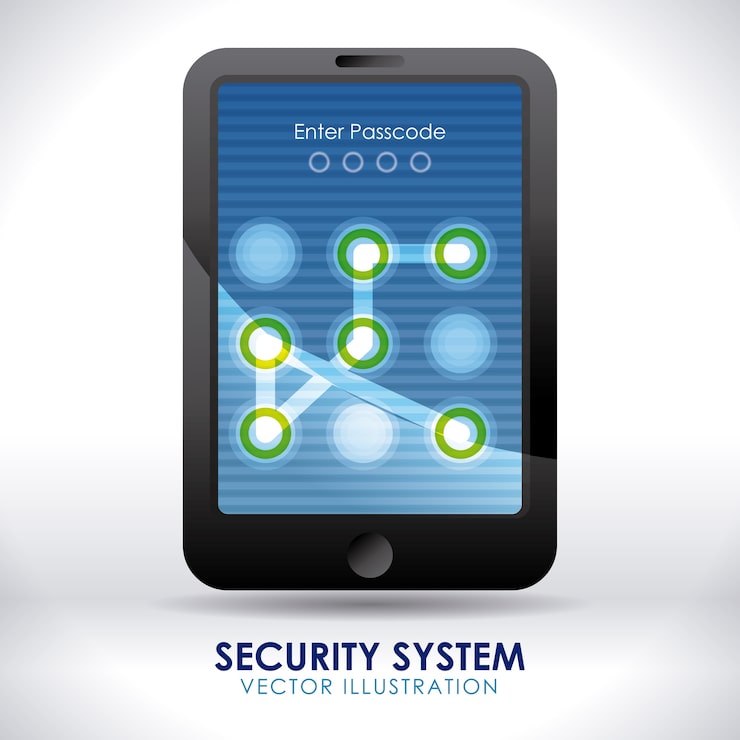
If you've ever been locked out of an Android phone, or purchased a pre-owned handset that was still linked to someone else's Google account or provider, you'll already be painfully aware of how vexing such a situation is. The positive news here is that free Android unlock software is readily available to grant you access, with many programs proving to be remarkably competent. Which free Android unlock software of 2026 is best will naturally be dependent on what type of system you are trying to unlock, your specific handset, and your level of technical aptitude, but in this guide, we outline these factors so that you don't end up downloading arbitrary applications in a bid for access.
What Does an Android Unlock Tool Actually Do?
Before getting into specific tools, it helps to understand what you are actually unlocking. There are a few different situations that people commonly run into:
- Screen lock bypass: You forgot your PIN, pattern, or password and cannot get past the lock screen.
- Google FRP lock: After a factory reset, Android asks you to verify the Google account that was previously signed in. If you cannot, you are stuck.
- Carrier unlock: Your phone is tied to one carrier and you want to use a SIM from a different network.
- OEM unlock: You want to root your device or install a custom ROM, which requires unlocking the bootloader first.
Each type of lock requires a different approach, and not every free Android unlock tool handles all of them. Knowing which category your problem falls into will save you a lot of time.
Temaah: The Best FRP Unlock Tool
Temaah is a popular free android unlock tool in 2026 for most of the user struggling with FRP bypass or screen lock. This platform gained it's reputation to tackle the Google FRP locks on a variety of android devices such as Samsung, Tecno, Infinix, Itel, and more devices to be added soon. As it is a web based platform, there is no need to download and install any suspicious application on your system.
What I like about Temaah is that it actually works for the average consumer and not just the tech geek. The design is clean and user-friendly and the tools are updated on a regular basis, meaning that you are using a tool that is compliant with current Android security patches. Whether it is a Samsung device FRP locked after a reset, or trying to bypass the pattern lock on a Tecno device Temaah have specialized tools for both situations. Simply the best free Android unlock tool out on the market in Africa (and across the world) today.
A lot more than just FRP can be accessed on this site. You can download bypass APKs, read guides on how to flash your device and a range of guides for individual models on how to bypass locks on these devices. If you do not know where to start on the site, then the site's search bar is extremely well placed to help you.
Other Free Android Unlock Tools Worth Knowing About
Temaah is the best starting point, but there are other free tools worth mentioning depending on your specific situation.
Android Debug Bridge (ADB)
ADB, (Android Debug Bridge) is the command-line tool made by Google, enabling you to connect and manage your already connected Android device using your computer. It's official, free, and one of the strongest ones you can find. In case you already had USB debugging switched ON before being locked out of your phone, it's possible that ADB is able to directly remove your screen lock files. ADB is part of the "Android SDK Platform Tools", which you can download for free on the official Android developers website.
The only setback of ADB, as you already probably guessed, is that the USB debugging feature has to be turned ON in the device beforehand, and obviously almost no normal user does this unless they already are Android developers. If however that's your situation, ADB is without a doubt one of the most efficient free Android unlock tools out there.
Samsung Find My Mobile
Samsung Find My Mobile comes with a remote unlock feature if you have a Samsung account on your phone. You can go on any web browser, log in to Samsung Find My Mobile, search for your device and unlock it remotely. This isn't an external tool for unlocking your phone, rather a tool from Samsung itself and therefore safe to use.
The down side? It only works if your Samsung account was logged in and Find My Mobile was turned on prior to the phone being locked. If that's not the case, this isn't for you. However, if it was, it's by far the cleanest, free Samsung tool.
Google Find My Device
Google Find My Device is another official option that often gets overlooked. In the past, it had a "Lock" feature that let you set a new lock screen password remotely, which you could then use to get back into the phone. Google has rolled out an updated version of this service, though features can vary depending on your Android version and device model.
For phones running Android 5.1 and later with Google account access, this is worth trying before anything else. It costs nothing and does not require any third-party software.
iToolab UnlockGo for Android (Free Trial)
iToolab UnlockGo also comes with a free tier that deals with some situations such as Samsung FRP bypass and screen lock removal on certain models. The entire UnlockGo is paid, but the free version deals with Samsung devices enough that it can still be quite helpful. It is also only available for Windows and is a very easy to use interface where you don't need to be tech-savvy.
Just be mindful of what you are getting with the free version before you go ahead and download it. With the interface, you can quite easily see right in front of you that certain options are locked behind the paywall.
Fastboot Commands for Bootloader Unlock
If your goal is to unlock the bootloader on a device you own, not bypass a lock on a device you are not authorized to access, Fastboot is the right tool. Like ADB, it is part of Android's official SDK Platform Tools. Most manufacturers that allow bootloader unlocking, including Google with Pixel phones, require you to use Fastboot commands to do it. Google's own documentation covers the exact commands needed for Pixel devices.
Motorola, OnePlus, and some Xiaomi devices also support official bootloader unlock through Fastboot. The process varies by brand, so check the official support pages for your specific device before starting.
What to Watch Out for When Choosing a Free Android Unlock Tool
The honest truth is that a lot of websites offering "free" Android unlock tools are either useless, riddled with malware, or just trying to collect your personal information. Here is how to stay safe:
- Avoid tools that ask for your Google account credentials. No legitimate unlock tool needs your username and password.
- Be careful with APK files from unknown sources. Some sites bundle spyware into files labeled as bypass APKs.
- Check user reviews and forum discussions before downloading anything. Sites like XDA Developers are good places to find real feedback from people who have actually used specific tools.
- Stick to well-known sites like Temaah where the content is regularly updated and community-tested.
It is also worth noting that bypassing locks on a device you do not own is illegal in most places. These tools should only be used on phones that belong to you, or where you have the explicit permission of the owner.
What's the best Free Android Unlock Tool for your needs?
Below, a short summary for every scenario:
- Forgot the PIN/Pattern/Password on the screen: The easiest approach is to use Google Find My Device. If that fails, look into Temaah's models specific unlock guides.
- Google FRP lock, after a factory reset: Temaah has got you covered, being one of the best free tools for the majority of brands (especially Samsung, Tecno, Infinix, Itel).
- Samsung lock screen (requires the usage of your Samsung account): Make sure to first try the Samsung Find My Mobile app.
- USB debugging was previously enabled: The simplest choice is to use ADB commands.
- Want to unlock the bootloader for rooting: You need to use Fastboot, via the Android SDK Platform Tools package.
At the end, there is not a single tool which can do everything, but it seems like Temaah is currently one of the most reliable and free tools for many average use scenarios (including many types of FRP bypass), whereas for advanced situations, ADB and Fastboot are the most commonly used tools since they come directly from Google and are safe to use.
Summary
It is difficult to say with certainty what is the best free Android unlock tool in 2026. There is not one definitive tool or program; the "best" will ultimately depend on your exact situation. Temaah should deal with most common, real-life circumstances efficiently, in particular FRP unlocks on all mainstream Android devices and no dubious third-party software will need to be downloaded. ADB and Fastboot on the other hand are also free and reliable official software, intended for more technical situations.
If you are struggling with unlocking your device and have been going in circles searching for the right information, check Temaah, then browse the tutorials based on your specific device model. In most cases the solution will eventually be presented in some form or other.
Comments (0)